koko288 Casino Mobile App
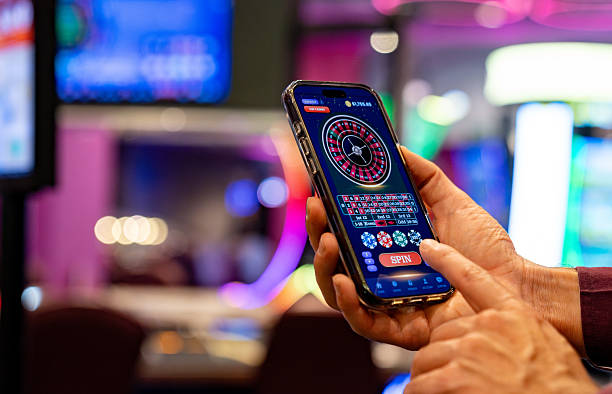
We at koko288 built our mobile experience around three access paths — Android APK download, iOS browser access, and a responsive web app — so you can reach our football markets, live-dealer tables, and slot games from any device. Each path is optimized for speed and offline readiness, letting you stay connected whether you're in Jakarta, Surabaya, or anywhere our services are available under local law.

- DownloadAPK
- Installin
- Update
- and
Mobile-first design matters because most of our users access koko288 during commutes, breaks, or live events. Our app reduces load times, caches game data locally, and sends push notifications for Liga 1 kickoffs and cashback windows. The browser path requires no installation and works on any device; the APK gives you a native experience with deeper system integration.
Our platform supports DANA, e-wallet, mobile banking, and local payment deposits directly from your phone, and account verification happens in minutes using your camera. We keep your session secure with encrypted storage and automatic logout after inactivity, so your account stays protected even if you lose your device.
How to access koko288 on mobile
We offer three ways to use koko288 on your phone. Android users can download our APK directly from our site; iOS users open koko288.bet in Safari or Chrome and add it to the home screen as a web app; and anyone can use the responsive web version in any browser. Each method connects to the same account, so your balance and betting history sync across devices.
Android APK installation
To install koko288 on Android, first enable "Unknown Sources" in your device settings (Settings → Security → Unknown Sources). Download the APK file from our site, open your Downloads folder, and tap the file to begin installation. The system will ask for permissions to access your camera (for KYC verification) and storage (for game cache). Tap "Install" and wait for the process to complete. Once done, open the app, create or log into your account, and you're ready to deposit and play.
iOS and web app setup
iPhone and iPad users do not need to download an app. Open Safari or Chrome, navigate to koko288.bet, and tap the Share button (arrow pointing up). Select "Add to Home Screen," name the shortcut "koko288," and tap "Add." The web app will appear on your home screen and open in full-screen mode, giving you a native-like experience. Android users can do the same with Chrome's "Install app" prompt. Both methods let you access koko288 without visiting the App Store or Google Play.
Installation troubleshooting
If Android installation fails, check that your device is set to allow unknown sources and that you have at least 50 MB of free storage. Some devices show a security warning about the APK certificate; this is normal for apps distributed outside the Play Store. Tap "Install anyway" to proceed. If the app crashes on launch, clear your device cache (Settings → Apps → koko288 → Storage → Clear Cache) and restart. For iOS, if the web app does not appear on your home screen, ensure you are using Safari (not Chrome) and that your iOS version is 12 or later. Contact our support team in Medan or Bandung if issues persist.
App versus browser: which is right for you
Our native app stores game data locally, so you can view your betting history and account balance even without an internet connection. Push notifications alert you to Liga 1 fixtures, Piala AFF draws, and weekly cashback deadlines. The app also loads faster on slower networks because it caches images and game assets. The web version, by contrast, requires no installation and updates automatically — you always have the latest version without manual updates. Both offer the same deposit methods (DANA, e-wallet, mobile banking, local payment, online payment, e-wallet, and bank transfers), the same live-dealer tables, and the same account security. Choose the app if you want offline access and notifications; choose the web version if you prefer simplicity and no storage footprint.
Device compatibility and requirements
Our Android app runs on devices with Android 7.0 or later. Older devices may experience slower performance or missing features. For iOS, the web app works on iOS 12 and later. We recommend at least 2 GB of RAM and a stable internet connection for the best experience. If your device is older or has limited storage, the web version is a lighter alternative that requires only a modern browser.
Account security and permissions
When you install koko288, the app requests permission to access your camera (for identity verification during KYC), your storage (to cache game data), and your network connection. We do not access your contacts, photos, or location. Your account credentials are encrypted and stored locally on your device; we never transmit your password in plain text. If you lose your phone, log into koko288 from another device and change your password immediately. Our support team in Semarang, Bandung, or Jakarta can help you recover your account using your registered email and identity documents.

Getting started: your first deposit
After you create your account, tap "Deposit" and choose your payment method. koko288 accepts mobile banking, local payment, online payment, e-wallet, mobile banking, local payment, and direct bank transfers (online payment, e-wallet, mobile banking, local payment). Enter your amount, confirm the transaction in your payment app, and the funds appear in your koko288 account within minutes. Your first deposit may trigger a KYC verification step — take a photo of your ID and a selfie, and our team will review it. Once verified, you can withdraw your winnings using the same payment method.
Support and account recovery
Our support team is available during business hours to help with installation issues, account access, or payment questions. Contact us via live chat in the app, email, or phone. We have multilingual staff in Jakarta, Surabaya, Bandung, Medan, and Semarang. If you forget your password, tap "Forgot Password" on the login screen, enter your email, and we'll send a reset link. If you cannot access your email, our support team can verify your identity using your phone number and ID documents and help you regain access to your account.
Key takeaways
- Download the Android APK or add koko288 to your iOS home screen as a web app
- Enable "Unknown Sources" on Android before installing the APK
- Use online payment, e-wallet, mobile banking, or local payment for fast mobile deposits
- Complete KYC verification with your camera to unlock withdrawals
- Contact our support team in Jakarta, Surabaya, or Bandung for help
We at koko288 designed our mobile platform to be fast, secure, and accessible. Whether you choose the app or the web version, you get the same live football markets, live-dealer tables, and slot games. Start with a small deposit, explore our Liga 1 and Piala AFF coverage, and use our support channels if you have questions. Our team is here to help you get the most out of your koko288 experience.